
ReviewExpo is reader-supported: some links on this page are affiliate links, and as an Amazon Associate ReviewExpo earns from qualifying purchases at no extra cost to you. Learn more.
Storage capacity for a vr camera should typically range between 64GB and 512GB depending on the intended length of recording and the desired resolution.
If you are working in a tight area, see our guide to the best vr camera for small spaces.
Recommended Storage Capacity for Vr Camera Use Cases
| Use Case | Recommended Storage Capacity | Why this number |
|---|---|---|
| 2-hour vlog recording | 22 to 44GB | Based on 20 to 40GB of raw data for 2 hours at 90% usable space. |
| 1-hour conference recording | 11 to 21GB | Based on 10 to 20GB of raw data for 1 hour at 95% usable space. |
| 2-hour multi-camera setup | 75 to 125GB | Based on 60 to 100GB of raw data for 2 hours at 80% usable space. |
| Short social media clips | 32GB to 64GB | Sufficient for frequent 1-minute clips with ample buffer for file overhead. |
| Extended immersive sessions | 256GB to 512GB | Necessary for continuous recording exceeding 4 hours without manual offloading. |
Examples from this category, each with its own review here
3 options shown here, $119.98 to $598.98, each with its own full review behind its name.
For complex setups, you can find the best vr camera for multi-camera setup options here.

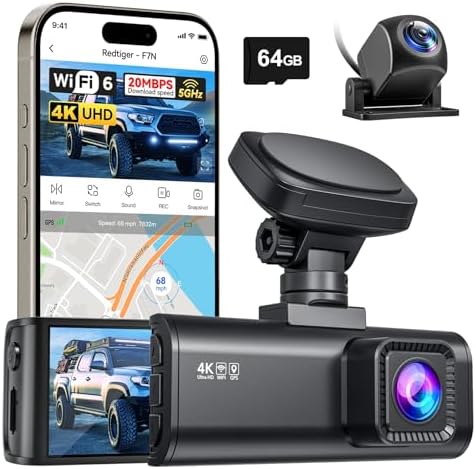

What happens if you under-buy or over-buy vr camera storage?
Under-buying storage capacity leads to a hard stop where the camera ceases recording, potentially losing the final moments of a high-value event. A buyer who underestimates their needs faces the risk of a failed session and the time cost of having to restart a recording from the beginning. This occurs when the internal memory fills completely, and most vr cameras will not automatically cycle to older files to make room for new data.
Professionals can view our comparison of the best vr camera for conference rooms.
Avoiding unnecessary costs by matching VR camera storage to usage
Over-buying storage capacity results in a higher upfront cost for hardware that remains unused during most standard operations. While 512GB of capacity provides a safety net for long sessions, it may be an unnecessary expense if the user only intends to capture 5-minute clips for social media. The cost of over-buying is a literal loss of money on a spec that provides no functional benefit beyond a longer “run time” before a manual data transfer is required.
New users can find our list of the best vr camera for beginners to get started.
What is the most common mistake with vr camera storage?
The most common mistake with vr camera storage is prioritizing total capacity over the actual write speed of the storage medium. A large capacity drive that cannot sustain the high-bitrate data flow required for 360-degree video will cause the camera to drop frames or shut down entirely. Buyers often focus on the GB count while ignoring the speed standard required to write the data in real-time.
If you are on a tight budget, view our guide to the best budget vr camera for 360 degree video.
Balancing VR camera storage capacity with maximum supported write speeds
Instead of only looking at the capacity, you should optimize for the balance between storage size and the camera’s maximum supported write speed. If a camera supports 8K recording, the storage must be able to handle that specific data throughput. A 512GB drive that is too slow to handle high-resolution streams is less useful than a 128GB drive that can maintain a steady, high-bitrate feed without interruptions.
Before purchasing, it is wise to understand vr camera warranties and coverage.
How does storage capacity interact with other vr camera specs?
Storage capacity interacts with the camera’s resolution and frame rate because these two factors determine how quickly the storage fills up. Higher resolution and higher frame rates increase the amount of data generated per second, which directly reduces the amount of time a camera can record before the storage is full. For example, a camera recording at a high frame rate will exhaust a 64GB drive significantly faster than one recording at a lower frame rate.
If you are new to the technology, see how a vr camera works in detail.
How internal thermal limits and processing power restrict VR camera storage
Storage capacity is also limited by the camera’s internal processing power and thermal management. High-bitrate encoding generates significant heat; if the camera’s thermal limits are reached, it may throttle the recording quality or shut down regardless of how much free storage remains. This means that even if you have 500GB of space, the physical limits of the device’s hardware may prevent you from using it for a continuous, long-duration recording.
Explore other hardware options by looking at the best vr camera alternatives available.
The relationship between bitrate and storage limits
The bitrate, which is the amount of data processed per second, is the primary driver of how much storage capacity you actually need. A high-bitrate setting produces a much larger file size for the same length of time, meaning a camera with a lower bitrate can record for longer on the same amount of storage. When planning your needs, you must determine if you require the high-bitrate quality for professional use or if a lower bitrate is sufficient for your goals.
To understand the hardware better, see the different types of vr cameras.
Scaling VR camera storage capacity for high-resolution 8K recording
If you require 8K resolution, the storage capacity requirement scales exponentially compared to 4K. A buyer who requires high-fidelity 360-degree textures will find that their storage capacity is depleted much faster, necessitating either a larger storage capacity or more frequent data offloading. You must choose a storage threshold that aligns with the specific resolution and bitrate the camera is capable of outputting.
For a detailed breakdown, see our spec analysis of the REDTIGER F7N.
The practical workflow for managing vr camera storage
A practical workflow for managing vr camera storage involves identifying the maximum continuous recording time you need before a break. A user begins by determining the length of the event, calculates the expected data size based on the desired resolution, and selects a storage capacity that provides at least 20% more space than that calculated amount. This buffer accounts for the unusable share of the storage and any file system overhead.
Check out our data-driven Vantrue N2 Pro review for more details.
Planning data offloading workflows to maintain VR camera storage availability
Once the recording is finished, the user must offload the data to an external drive or cloud service to clear the internal memory for the next session. If the user cannot perform this offloading frequently, they must choose a storage capacity that covers the entire duration of their longest expected session. Failing to plan this workflow results in the camera becoming unusable until the data is manually moved, which can be a significant bottleneck in a professional production environment.
You can find our full review of the Meeting 360 Ultra here.